


WTOL 11: Toledo's News Leader
4.4832.00 Reviews
App Specs
- Version
- 50.23.2
- Updated On
- License
- Free
- Downloads
- 100,000+
- Developer
- TEGNA
- Categories
- News & Magazines
- Platform
- Android
Screenshots
 Analysis by AppCompare
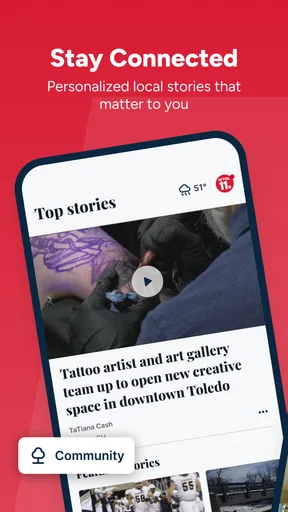
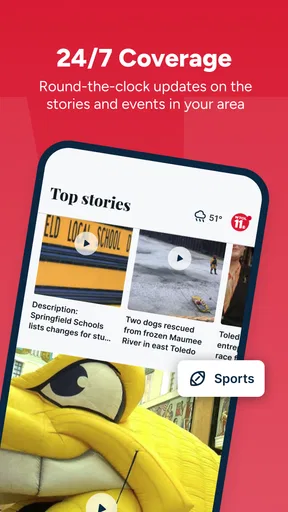
When I want a quick view of what is happening around Toledo, I would rather open a local news app than sort through a national feed filled with stories that do not affect my day. WTOL 11: Toledo's News Leader is built for that narrower purpose. It is a free News & Magazines app from TEGNA, focused on Toledo-area reporting, live video, and weather information. After spending time with it, I see it as a practical companion for local awareness rather than a complete replacement for every news source on a phone.
That distinction matters. The app makes the most sense if your routine includes checking local conditions before leaving home, following developing events in the area, or watching coverage instead of reading a short headline. It is less compelling if you mainly want international reporting, deep investigative reading, or a single app that combines every region and topic. My recommendation depends less on whether you already read news and more on whether Toledo-specific information deserves its own place in your daily routine.
How I judged WTOL 11 for everyday local news
I judge WTOL 11 by whether it can earn a useful place in an ordinary routine, not just make a promising first impression. I’ll look at what makes it worth opening early on, then consider whether local coverage, weather, and live video continue to justify the attention over time. That distinction matters most when deciding how it fits alongside broader news sources.
The first question is whether local focus helps you
The strongest reason to install this app is also its clearest limitation: it keeps its attention on the Toledo area. That focus can save time when you need nearby information, because you are not forced to search through a broad national service for a local update. I found that useful for the kind of quick checks people make between other tasks: seeing whether a developing story is worth following, looking for a weather update, or opening live coverage when a written summary is not enough.
On the other hand, a local-first app should not be judged by the same standard as a general news reader. It is not designed to replace a national publication, a world-news service, or a broad personalized aggregator. I would use it alongside one of those options if I wanted both Toledo coverage and a wider view of the day. Installing it makes sense when local relevance is the priority, not when you expect one application to cover every subject equally well.
Live video changes how the app is useful
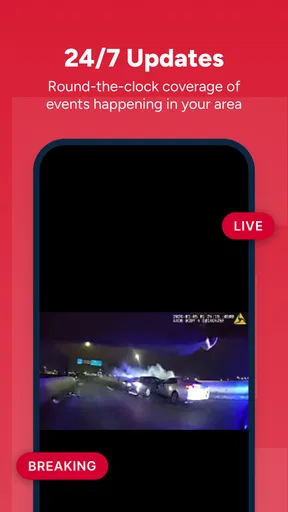
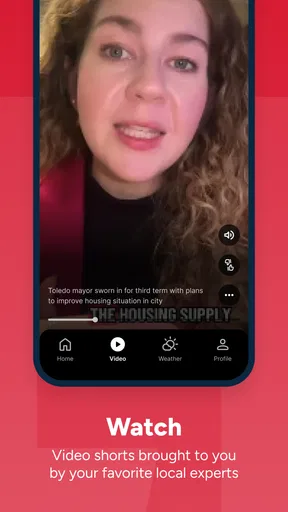
Written articles are convenient when I have a minute to scan, but live video is valuable when a story is still unfolding. In those moments, a video stream can provide a stronger sense of timing and context than a headline alone. This is especially useful when I am at home and want to keep an eye on coverage while doing something else, or when a local event is easier to understand visually than through a short text update.
There is a trade-off, though. Live video asks more of the phone and of my attention than reading a few paragraphs. It may be unnecessary for a small update, and it is not always the best choice when I am using mobile data or need information silently. I treat the video element as an option for important or developing coverage, not as the default way to consume every story.
Worth Reading Before You Choose

EA SPORTS FC Mobile 26 Is a Bigger Football Game, but It Takes Time

Flipboard Shows What News Apps Must Do Beyond the Feed

Switching to Android Auto Means Rethinking Your Driving Routine

Google Calendar Makes a Crowded Week Easier to Manage

Ludo King Makes the Most of the Minutes Between Plans

Baby Panda World Brings Quick Play to Modern Phones, but Its Game Library Feels Busy
Weather is more useful when tied to a real decision
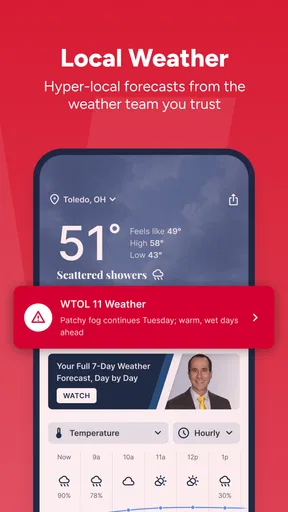
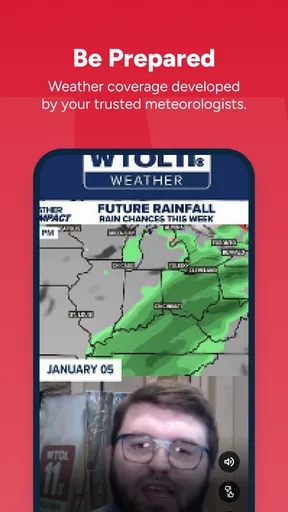
The weather section earns its place when it helps me decide what to do next. Before commuting, running errands, attending an outdoor activity, or planning a trip across the Toledo area, I can use a local forecast as part of that decision instead of opening a separate weather-only service. Combining news and weather reduces the number of apps I need to check during a busy morning.
I would still avoid treating any forecast as a guarantee, particularly when conditions can change quickly. The practical advantage here is convenience and local context, not a promise that the app will replace every specialized weather tool. If weather is your only reason for installing it, a dedicated weather application may offer a more focused experience. If you already want local news, having forecasts in the same place makes the app more worthwhile.
What the app feels like as a daily habit
My preferred routine would be to open WTOL 11 once in the morning, scan the main local stories, check the weather before heading out, and return only when a developing event deserves closer attention. That workflow avoids turning the app into a constant distraction. It also makes the local focus work in its favor: I am looking for a useful regional snapshot, not trying to spend hours browsing an endless stream.
A realistic example is a weekday morning when I need to decide whether to leave early, change plans, or simply keep an eye on a local situation. I would read the key headlines first, use the weather information to prepare, and switch to live video only if the story is developing quickly. Later, I might open the app again for an update rather than repeatedly refreshing it throughout the day. That small habit is more efficient than treating every notification or headline as urgent.
Small details that affect the decision
The app is free, which removes the main financial barrier to trying it. It is rated for Everyone, so it is suitable for a broad household audience from an age-rating perspective. Its current version is 50.23.2, and it supports devices running Android 7.1 or later. Those details make it accessible to people who are not using a brand-new phone, although the actual comfort of video and news browsing will still depend on the device and connection.
Its audience is already substantial: the app has more than one hundred thousand installs, an average rating of 4.4, and around three thousand six hundred ratings. I read that as evidence that the local-news concept works for many users, but not as a reason to ignore personal fit. A strong rating cannot make Toledo coverage useful to someone who lives elsewhere, and a large install base does not guarantee that every story format will suit your reading habits.
Where it wins against broad news apps
WTOL 11 wins on immediacy of place. A general news application may be excellent at showing major national or international stories, yet still make you work to find what matters in Toledo. Here, the local angle is the starting point. That makes the app a better match for residents, commuters, families with local responsibilities, and anyone who wants regional awareness without filtering a much larger feed.
It also has a useful combination of formats. A text story can be the fastest way to understand the basic event, weather can support immediate planning, and live video can add context when the situation is changing. I like that these functions serve different moments rather than competing for the same purpose. The app is most effective when I choose the format based on the situation instead of expecting every update to arrive in one identical form.
Another advantage is mental simplicity. A broad aggregator often encourages me to jump from one subject to another, while a local station app gives me a more defined reason to open it. That can make it easier to build a short, repeatable news routine. I would not call the narrower scope a weakness for the intended audience; it is precisely what makes the app useful when local information is the priority.
Three practical ways to get more from it
Use the app as a two-stage check rather than opening live video immediately. Start with the written local coverage, then move to video only when the story is developing or visual context matters. This saves attention and makes the live feature feel purposeful.
Pair the weather check with a specific decision. Instead of browsing forecasts passively, look before commuting, scheduling an outdoor plan, or deciding when to run errands. That turns the weather section into a useful part of a routine rather than another feed to scroll.
Keep a local-first and broad-news split. Use this app for Toledo developments and a separate general source for national or international coverage. That division reduces the temptation to judge a regional app for not behaving like a worldwide news service.
Where another category may fit better
If your main goal is broad discovery, a general news aggregator may be the better first installation. It can bring together topics from many places and help you follow national, international, business, technology, or culture stories in one stream. The cost is that Toledo news may be less prominent or require more searching. I would choose that category when breadth matters more than local depth.
A dedicated weather app is a stronger choice for someone who checks forecasts repeatedly, compares conditions across several locations, or wants weather to be the central experience. WTOL 11 is more convenient when weather is one part of a local-information routine. It is not the obvious choice for someone whose phone use is almost entirely forecast-based.
For readers who prefer long-form journalism, newsletters, podcasts, or carefully organized topic sections, a local station app may feel too immediate and event-driven. The appeal here is staying connected to the area, especially through timely updates and video. If your ideal news session involves extended analysis rather than quick local awareness, another category may serve you better.
There is also a location question. Someone who has moved away from Toledo but still follows family, work, or community matters there may find the app useful. Someone with no connection to the area should skip it, even if the app itself is well made. Local relevance is not a minor preference in this case; it determines whether the content has daily value.
What switching to it really costs
Because the app is free, the main cost of switching is not money. It is attention and routine. If you already have a trusted news setup, adding another source can create duplicate headlines or encourage unnecessary checking. I would avoid replacing everything at once. Instead, use WTOL 11 for a few days as the dedicated Toledo layer in your routine and see whether it answers a need your current apps leave open.
The switch is easiest when you give each service a clear job. Let a national app handle wider events, let a weather specialist handle detailed forecasting if necessary, and let this app handle local news, live coverage, and a convenient regional forecast check. That approach avoids the common mistake of demanding that one app become the entire information system.
There is a small attention trade-off with live content. Video can make a developing story easier to follow, but it can also keep me engaged longer than a quick article would. I recommend opening it deliberately, especially during a busy workday. For a short update, reading is usually enough; for a major local event, video may justify the extra time.
Device age is another practical consideration. Android support beginning with 7.1 means the app is not limited to only the newest phones, which is helpful for households with older devices. Still, older hardware may feel less comfortable with media-heavy use than a recent phone. I would test the experience on the device that will actually be used, particularly if live video is central to your decision.
Who should install it now
I would recommend WTOL 11 to Toledo-area residents who want a focused local news source with live video and weather in the same app. It is also a sensible choice for commuters, relatives keeping up with local developments, and people who want a quick regional check without entering a broad news feed. The free price makes experimentation easy, and the Everyone rating removes a major age-related barrier for ordinary household use.
I would not make it the only news app on my phone. Its value comes from specialization, so I would combine it with a broader source if I cared about events beyond the Toledo area. I would also skip it if I lived far from the region and had no continuing connection there, or if my primary need was detailed weather analysis rather than local reporting.
For me, the best reason to keep it installed is the way it joins three useful local habits: reading nearby news, checking regional weather, and watching live coverage when a story deserves more than a headline. Those functions do not make it universal, but they make it specific. The key decision is whether Toledo-focused information is important enough to deserve a dedicated app.
My recommendation after using it
WTOL 11 is a straightforward choice for local awareness, and I would recommend trying it if Toledo news is part of your everyday life. TEGNA has positioned it as a regional news-and-information app rather than a general-purpose media library, and that narrow purpose is its main strength. The experience works best when I use it briefly and intentionally: check what matters nearby, use the forecast for a real plan, and open live video when the situation calls for it.
It will not replace every alternative, and it should not be judged as though it were a national aggregator or a specialized weather service. Its limitations are the natural result of its local focus and mixed news format. Still, for the right reader, that focus is exactly the point. With over one hundred thousand installs and a 4.4 average, it has found a clear audience, and I can see why. WTOL 11 earns a place on my phone when local relevance matters more than endless breadth.
Pros
- Fast access to breaking news and local headlines in the Toledo area.
- Live weather updates help users track changing conditions throughout the day.
- Video reports add context beyond short written news summaries.
- Push alerts can keep users informed about important local developments.
- Covers community stories that may receive little attention from national outlets.
Cons
- Some alerts may feel frequent or less important than expected.
- Video playback can use considerable mobile data on cellular connections.
- Coverage is primarily local
- limiting its value outside the Toledo region.
- Advertising may interrupt browsing or make some screens feel crowded.
- Certain stories may require scrolling through multiple sections to find details.
FAQs for WTOL 11: Toledo's News Leader
What is WTOL 11: Toledo's News Leader?
WTOL 11: Toledo's News Leader is a local news app focused on Toledo, Ohio, and surrounding communities. It provides access to breaking news, weather forecasts, traffic updates, sports coverage, investigative reports, and video stories. The app is designed for users who want convenient, regularly updated information from the WTOL 11 newsroom while using an Android or iOS device.
What type of news and content can I find in the WTOL 11 app?
The app typically includes local and regional news, national headlines, weather information, severe weather alerts, live or on-demand video, traffic reports, sports, community stories, and investigative journalism. Content is organized into sections so users can quickly browse the topics they care about. Availability and presentation may change as WTOL updates the app and publishes new reports.
Does WTOL 11: Toledo's News Leader provide weather alerts and forecasts?
Yes, weather is one of the app’s key features. Users can generally view current conditions, hourly information, extended forecasts, radar imagery, and severe weather updates for Toledo and nearby areas. Notifications may also be available for important weather developments. For the most reliable alerts, enable notifications and location access if the app requests those permissions.
Is the WTOL 11 app free to download and use?
WTOL 11: Toledo's News Leader is generally free to download, and users can access much of its news, weather, video, and local information without purchasing a subscription. However, the app may contain advertising, and certain features or content policies can change over time. Check the Google Play Store or Apple App Store listing for the current pricing, permissions, and availability details.
Does the app require an account or location permission?
You can usually browse general news without creating an account, although some personalized features may offer or require sign-in depending on the current app version. Location permission is useful for receiving forecasts and alerts relevant to your area, but it may not be essential for reading articles. Review the permission prompts carefully and allow only the access you are comfortable providing.


